
Your whole day, before you unlock your phone.
Ink turns your phone's Lock Screen into a calendar you'll actually look at. Your schedule, tasks and notes sit on a wallpaper you designed - no unlocking, no app to open.
4.6
from 1,326 App Store ratings worldwide
Syncs Apple & Google Calendar
Processed on device
Free to download
Thu, Jul 30
9:41
To do today
- Submit class assignment
- Call the dentist
- App Store rating
- 4.6App Store rating
- Ratings worldwide
- 1,326+Ratings worldwide
- To download
- FreeTo download
- iPhone, iPad & Android
- iOS & AndroidiPhone, iPad & Android
Everything your day needs, one glance away
Ink is a calendar, a task board and a notebook that all end up in the same place - the screen you already look at fifty times a day.
A calendar that lives on your Lock Screen
Overlay a month grid, a week strip or a running agenda over your wallpaper. Pick up your phone and the day is already there - no unlocking, no widget stack to scroll.
Syncs with the calendars you already keep
Apple Calendar, Google Calendar and Reminders flow straight in. Nothing to re-enter.
A priority matrix that sorts itself
Do now, Plan, Delegate, Drop. Rename, recolour and re-icon each quadrant to match how you actually work.
Sticky notes you'll see again
Checklists, reminders and scraps of thought - pinned to the wallpaper instead of buried in an app.
Ready-to-use templates
Timetables, timelines, today's events. Start from a layout that already works and make it yours.
Type it, say it - Assistant puts it on the calendar
"Dentist Tuesday at 4, remind me an hour before." Assistant reads it, creates the event, sets the reminder and drops it onto your Lock Screen. Decorate the result with stickers, text, photos and drawings.
Six ways Ink fits your week
Straight from the app - swipe through the screens you'll spend time in.
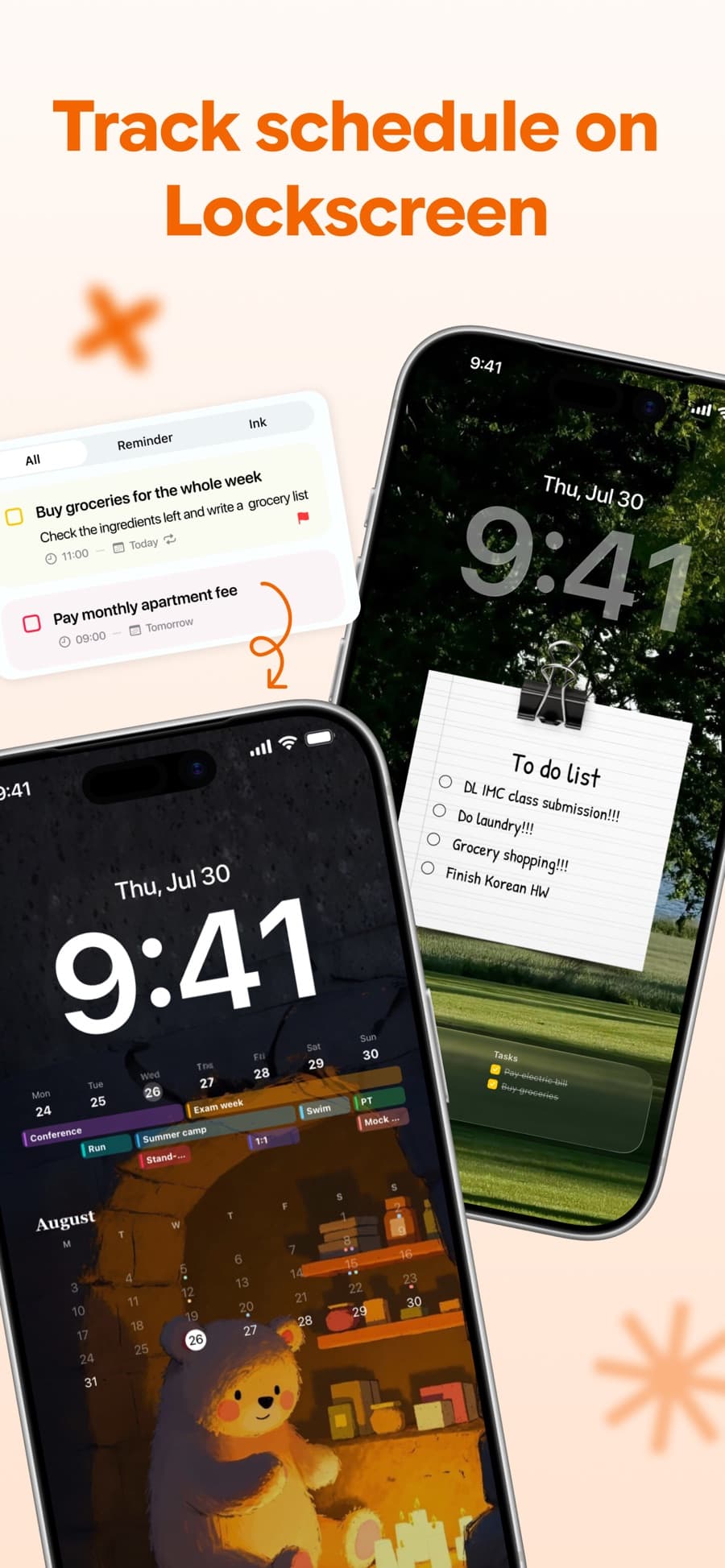
Track your schedule on the Lock Screen
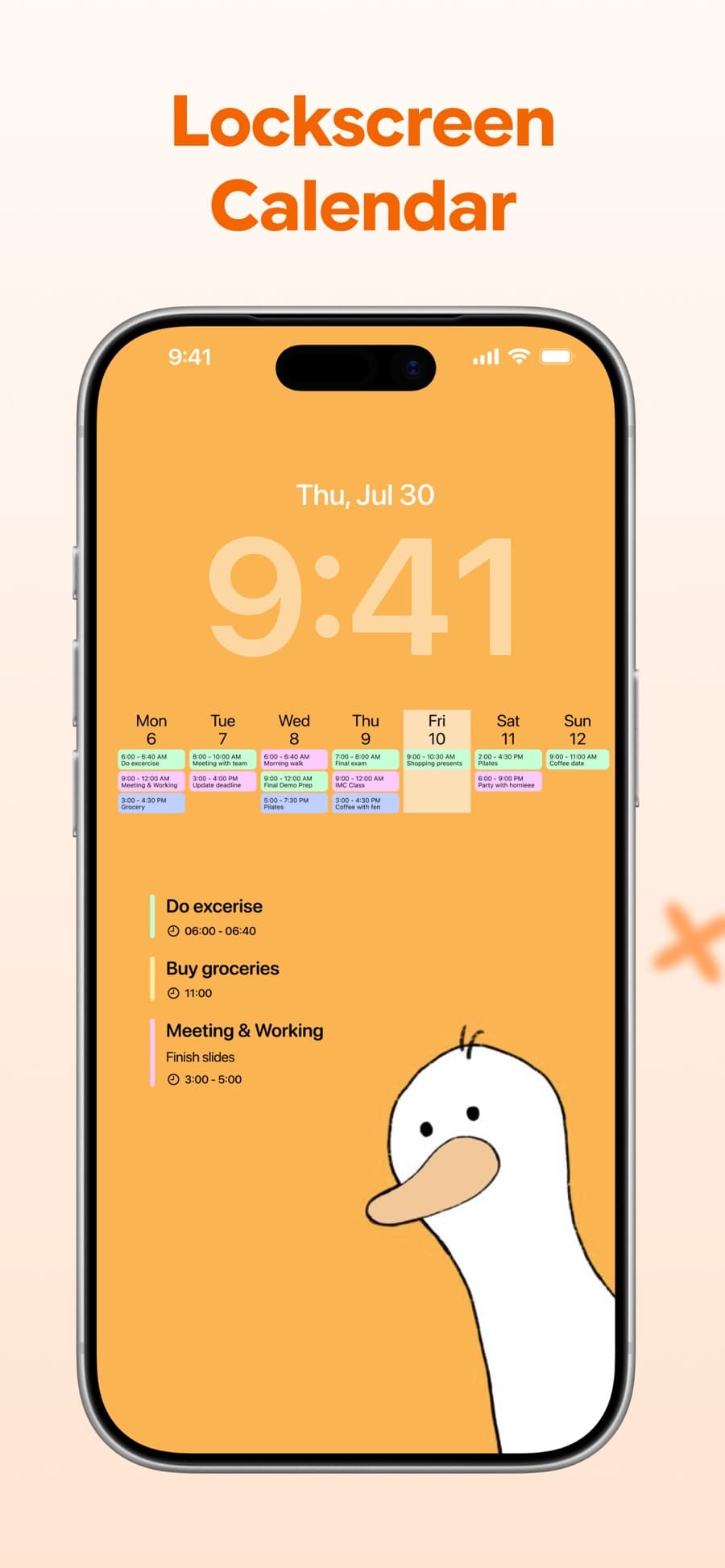
Week strip and agenda over your wallpaper
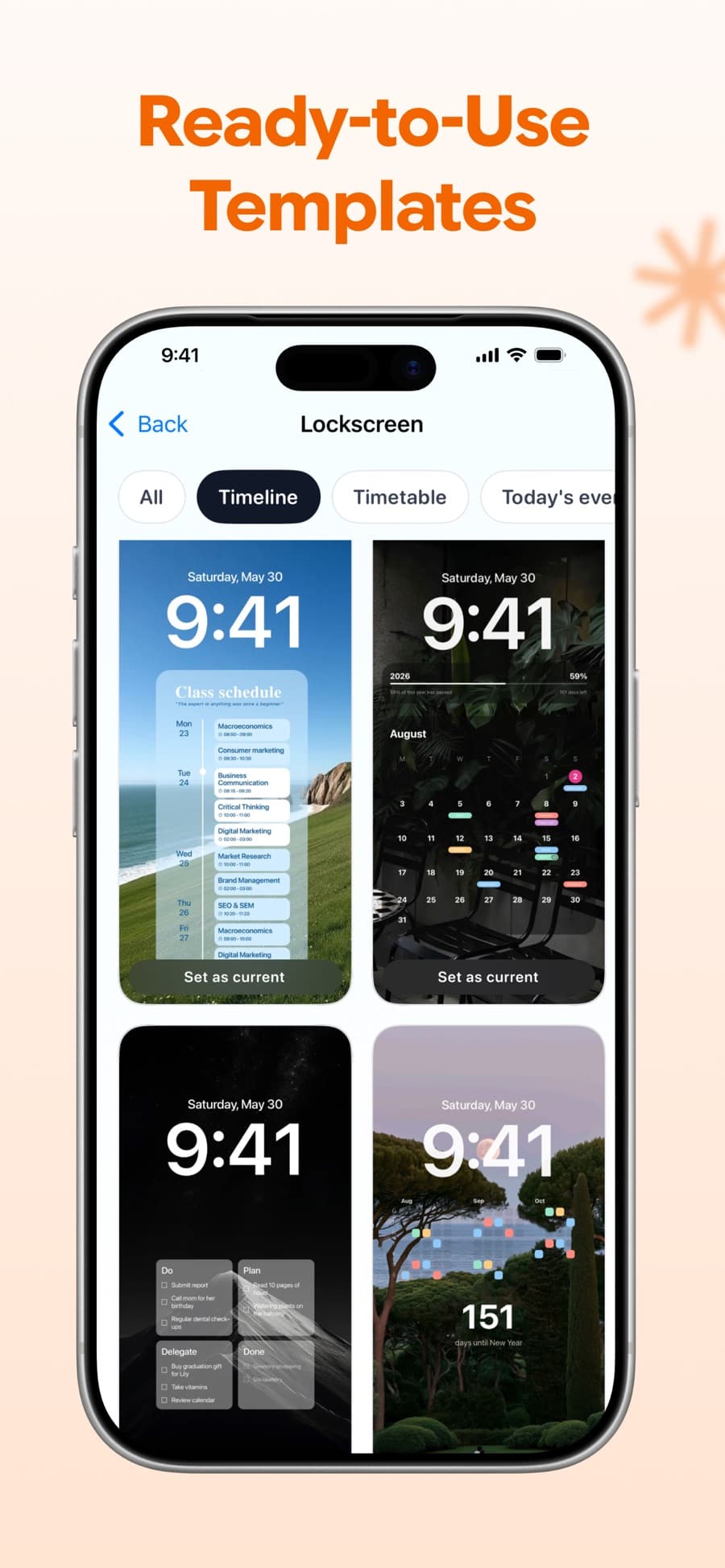
Ready-to-use Lock Screen templates
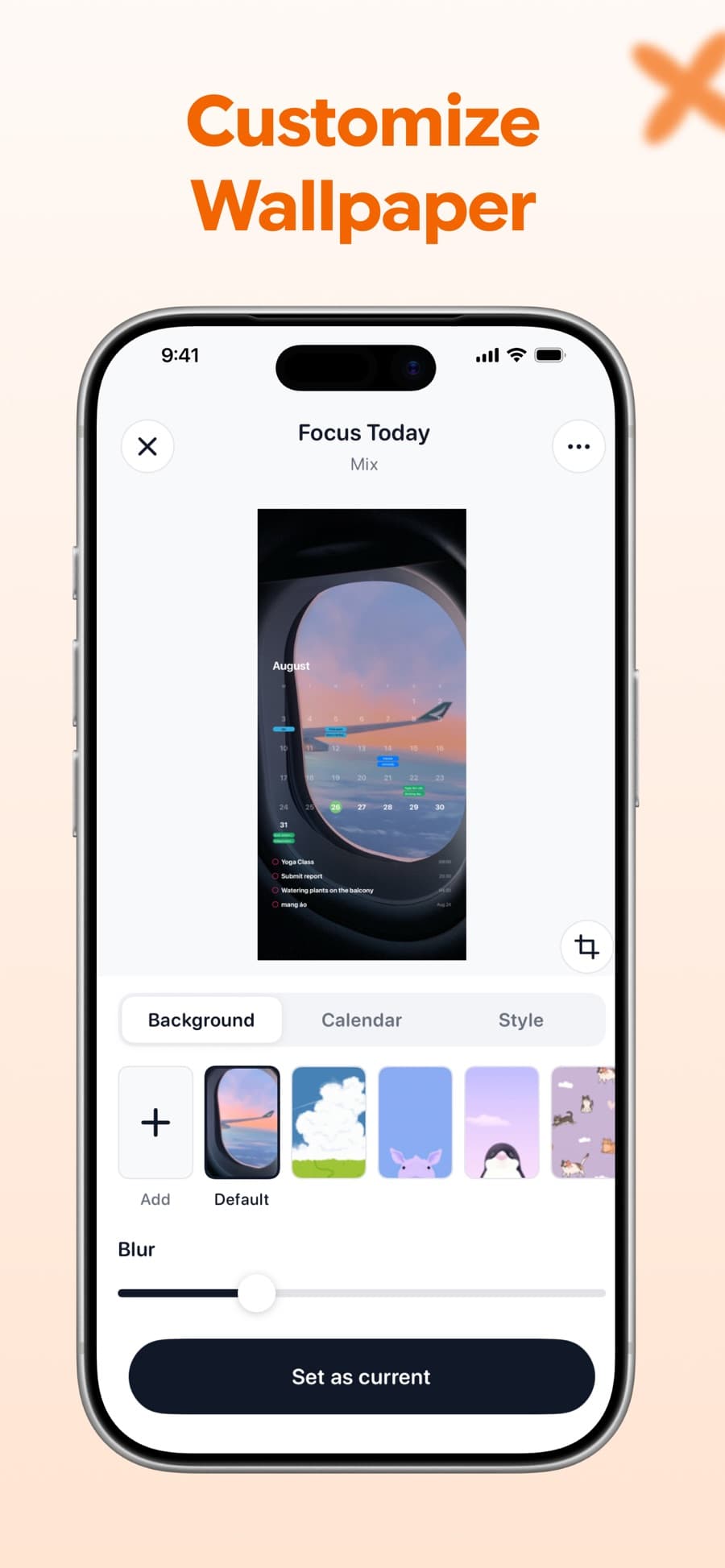
Customise background, calendar and style
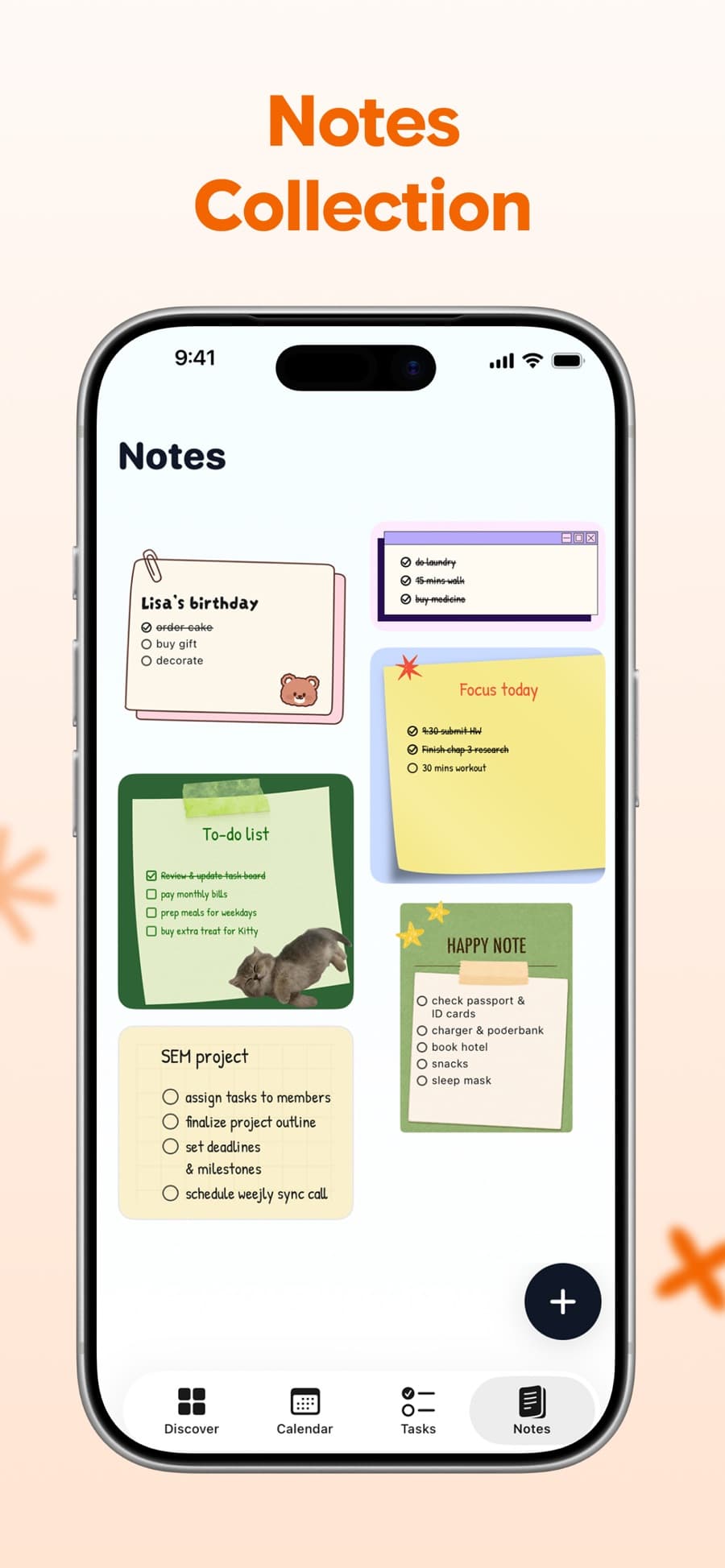
A collection of notes you keep coming back to
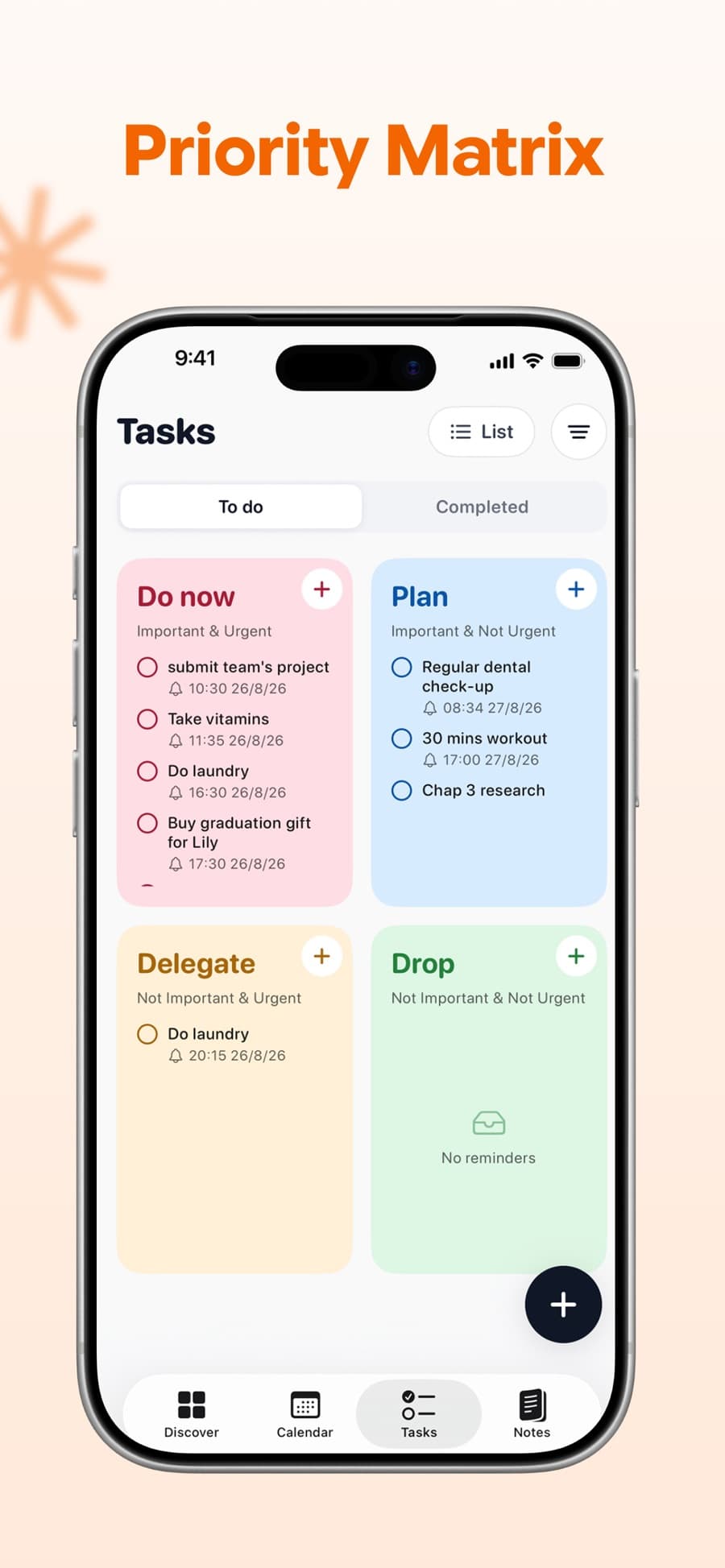
Priority matrix: do, plan, delegate, drop
Three steps and you're done
Under two minutes from download to a Lock Screen that shows your day.
- 1
Install and connect
Download Ink, then let it read the calendars you already use - Apple, Google, or both. Your existing events show up right away.
- 2
Design the wallpaper
Pick a photo or a template, choose a calendar layout, then tune colours, dim level and the marker on today.
- 3
Set it as your Lock Screen
Save the wallpaper and set it. From then on the day updates itself - no unlocking, no app to open.
A planner that looks like your phone
Most calendar apps decide how your screen looks. Ink hands you the controls - the same ones you'd reach for in a photo editor.
Your photos
Drop in any image as the background.
Colour & dim
Tune the palette and how far the photo fades back.
Today's marker
Flag today with a dot, a ring or a square.
Week start
Begin the week on Monday or Sunday.
Style
Background
Dim
Today marker
Your schedule never leaves your phone.
Ink reads your calendar to draw it on your wallpaper - and that's where it ends. Events are processed on device. We don't collect them, store them, or track what's in them.
Read the privacy policyProcessed on device
Your events are rendered locally on your phone, not on a server somewhere.
Nothing collected
No event titles, no attendees, no locations sent anywhere.
Your photos stay yours
Backgrounds you add are used to build your wallpaper and nothing else.
Free to start, Pro when you want more
Download, build a Lock Screen and use the calendar without paying anything. Pro unlocks the full template library and every styling control.
Weekly
Try Pro for a week and see if it sticks.
Full Lock Screen template library
Unlimited wallpapers and layouts
Notes, tasks and priority matrix
No ads, ever
Yearly
Best valueThe one most people pick - works out to pennies a month.
Full Lock Screen template library
Unlimited wallpapers and layouts
Notes, tasks and priority matrix
No ads, ever
Pro Lifetime
Pay once, keep every Pro feature for good.
Full Lock Screen template library
Unlimited wallpapers and layouts
Notes, tasks and priority matrix
No ads, ever
Prices shown are approximate and billed through the App Store or Google Play in your local currency - the exact amount appears on the purchase sheet before you confirm. Subscriptions renew until cancelled in your Apple or Google account settings.
Questions, answered

Put your day where you'll see it.
Ink is free on the App Store and Google Play. Build a Lock Screen in a couple of minutes and stop digging for the date.
4.6 out of 5 - 1,326 ratings worldwide